INTERFACE
Planning on iOS is shorter and calmer.
After a broad interface refresh, core planning workflows share one visual language and fewer intermediate screens.
Facts and scope come from real product changes, with their impact explained in plain language.
Date stays in context
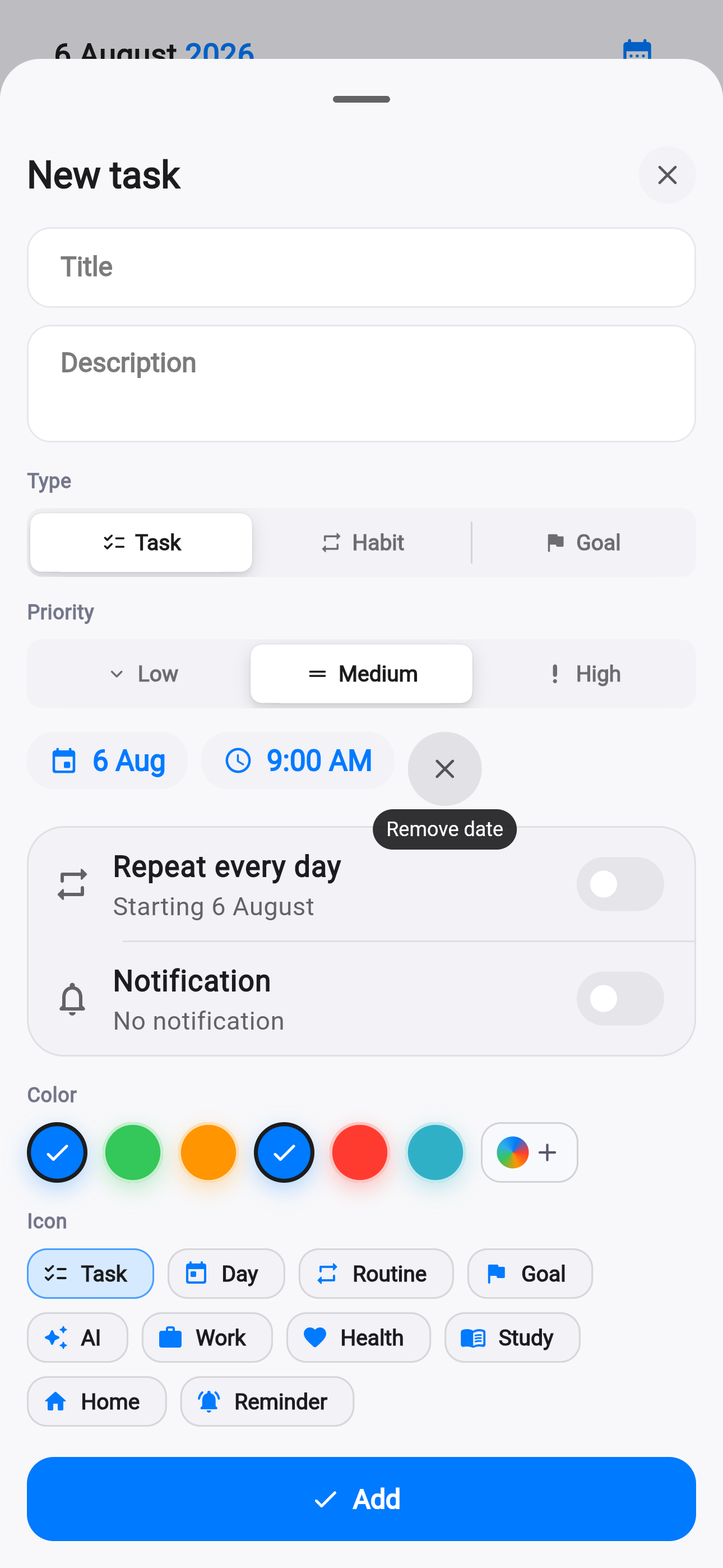
A native iOS flow sets date and time without losing the task being created.
Recurrence and reminders remain close to the essential fields.
The plan scans more easily
Grouping separates the next actions from details while consistent spacing and controls reduce noise.
Editing returns to the same day context.
Dialogs behave consistently
Confirmations, menus and inputs use shared components and familiar iOS behavior.
Light mode, dark mode and Reduce Transparency remain readable.
Choose a date
Without an extra detour.
Refine
Time and recurrence stay nearby.
Return to plan
The day context is preserved.
A timeline you can reshape in a few taps.
Multi-select, precise time shifts and a day-template library make plans easier to adapt when real life moves.