INTERFACE
Photos, files and a calmer iOS interface.
The update spans 44 files, from the memory library and timeline to a shared iOS composer. The goal is simple: remove visual noise around content and make attachments part of the conversation instead of a separate technical step.
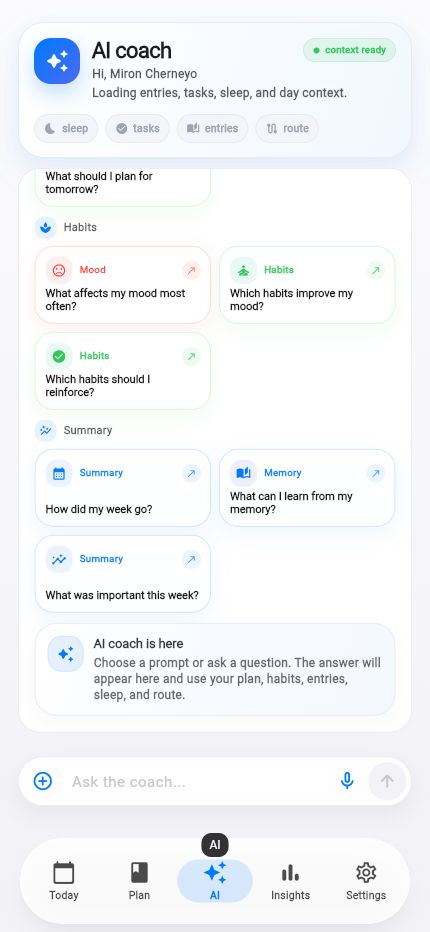
Facts and scope come from real product changes, with their impact explained in plain language.
See the attachment before sending
Life AI can now accept a photo or text document from the composer. The chosen item stays beside the question: a photo can be previewed, a file can be removed and extra documents collapse into a compact counter.
That feedback matters. You always know which context is about to be sent and can correct a selection before the request leaves the device.
One composer for conversational work
The new AppIosChatComposer brings text, microphone, attachments and send controls into one component. It handles light and dark themes, keyboard behavior and multiline input without making the layout jump.
The glass surface also respects Reduce Transparency. When blur is not appropriate, the component retains contrast on a solid background. Decoration never becomes a requirement for readability.
Media should load quietly
The same update improves photo caching, the memory library, shared spaces and server-side media parsing. Reopening an image requires less repeated work and waiting states feel less disruptive.
More than three thousand lines were added, with focused tests for the composer, menu, cache, timeline and design system. A shared component also reduces the risk that similar fields begin behaving differently.
Context in sight
Photos and files remain visible before sending.
Familiar behavior
Menus and input feel at home on iOS.
Accessible effect
Transparency can disappear without losing clarity.
Route history becomes a calendar of life.
Day, week, month or a custom range: routes are easier to find, compare and connect with daily events.