すでに一日を見ている。
空のチャットではなくスケジュールについて聞く。答えはタイムラインから始まる。
 Life Tracker
Life AI はすでに残した文脈を読む。タイムラインに載る前に、すべての提案を確認。
例 16:00 の通話が長引いたら何を動かせるか聞き、提案されたシフトを読んで、保存前に確認。
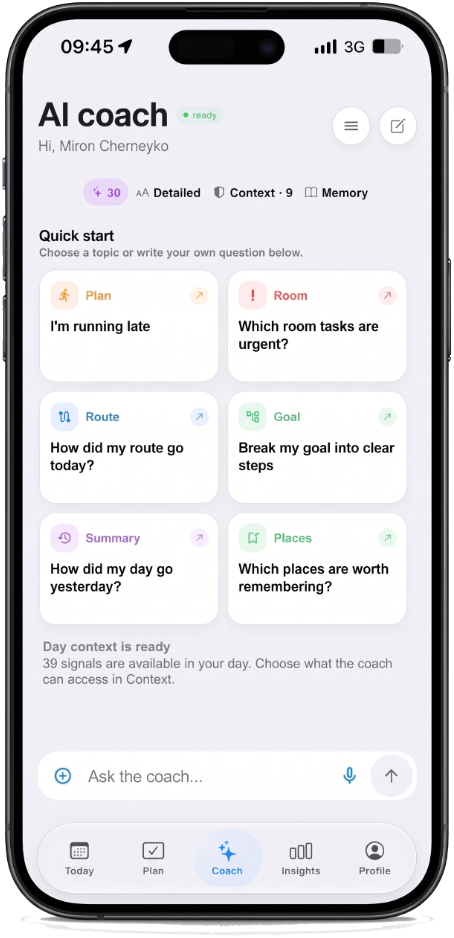
空のチャットではなくスケジュールについて聞く。答えはタイムラインから始まる。
アクションプレビューで変わることを表示。確認して初めて一日の一部に。
Free には毎日の AI 枠。Plus でコーチ、パース、共有ルームの上限が上がる。
Blank chatbots invent a schedule you never kept. Life AI starts from the day you already captured — events, tasks, notes, and open gaps — so answers about “what can move” refer to real hours. That is the difference between a generic AI planner and a coach that knows the day.
Every suggestion shows as a preview. You read the shift, tap yes, and only then it becomes part of the timeline. Gemini runs only after you allow it in the app. Free includes a daily allowance; Plus raises coach and parse limits when you need more room.
If other AI planners rewrite your calendar without asking, Life Tracker is the opposite: review first, save second. Use it when a meeting runs long, when you need a replan, or when you want a second look at the afternoon — without surrendering control of the day.
Life Tracker
iPhone では無料。同じアカウントで Web も開けます。