ACCESS
Start the day before creating an account.
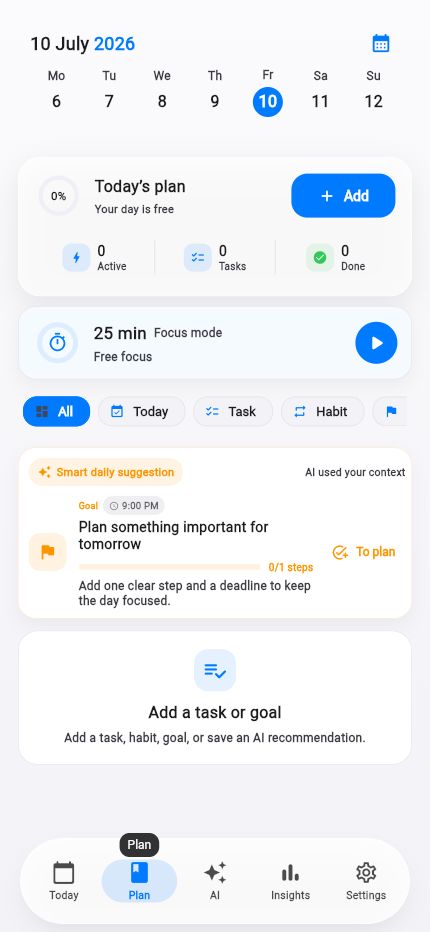
A first encounter with a planner should not begin with a password decision. Version 1.2.2 adds a guest session: open Life Tracker, create the first entry and understand the product before registering.
Facts and scope come from real product changes, with their impact explained in plain language.
The workflow comes before the form
Guest entry creates a protected server session without an email or profile form. You reach the core workflow—the timeline and day plan—instead of a wall of required fields.
The state is a real limited account rather than a temporary demo image. Tasks and entries therefore behave like they do after a regular sign-in.
History moves when you register
When you later choose Google or email, the server upgrades the guest account instead of creating a blank one beside it. The data identity stays in place, so the day you already built does not disappear.
A dedicated upgrade handler protects the transfer from duplicate execution and conflicts. The refined entry flow also handles returning from external authentication more reliably.
Limits appear in context
A feature that needs a permanent profile or subscription can ask for registration when you reach it. The reason is visible at that moment instead of being demanded before you have seen the product.
Guest mode does not remove security: requests use normal authorization and server tests cover creation, upgrade and repeat entry. Less friction does not mean less control.
Open immediately
No email, password or long form.
Try the real flow
Entries live in the normal day timeline.
Carry history over
Registration upgrades the guest account.
Apple Maps for places and the day route.
A native iPhone map, a web bridge and faster place search with caching and understandable errors.