Me desperté
El día empieza en la línea de tiempo.
 Life Tracker
Eventos, tareas y voz en una sola línea de tiempo.
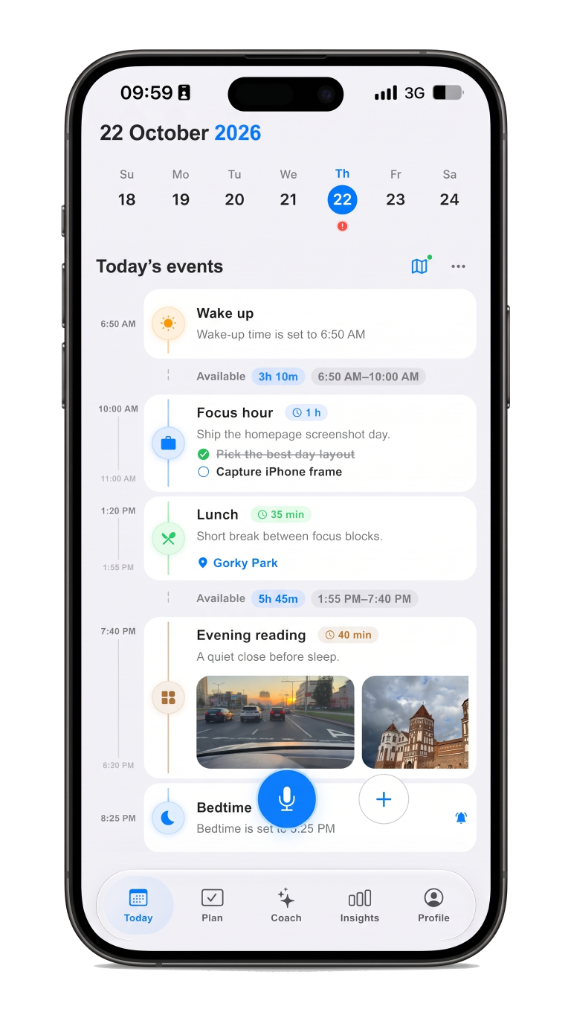
Hoy
Me desperté
El día empieza en la línea de tiempo.
Comprar leche
Por voz.
VozConfirmar
Caminar a la estación
Junto a la ruta.
Hora de enfoque
1hEn el plan de la mañana.
Almuerzo con Sam
45mYa en el plan.
Tren a casa
Junto a la ruta.
Me dormí
El día cierra en la línea de tiempo.
¿Por qué Life Tracker?
Planes, recuerdos y rutas en un mismo día en iPhone e iPad, sin cambiar de app para ver qué pasó.
La voz y Life AI muestran primero una tarjeta; nada se guarda hasta que toques sí.
La misma cuenta en iPhone, iPad y la web mantiene una sola línea de tiempo al día.
Gemini solo se activa después de tocar Permitir; Apple Health es opcional y no es consejo médico.
Life AI ofrece vistas previas y sugerencias: tú eliges qué entra al día.
Empieza gratis; Plus sube los límites de Life AI cuando necesites más margen.
Voz o una nota breve.
Escuchando…
Reconocido
Comprar leche
Mantén para hablar
Nada se guarda hasta que confirmes.
Nada se guarda hasta que lo hagas.
Revisar
Comprar leche
BorradorEsperando tu confirmación.
VozConfirmar
No entra al día hasta Confirmar.
Se queda en la línea de tiempo.
Hoy
Me desperté
El día empieza en la línea de tiempo.
Comprar leche
GuardadoYa en el día.
Caminar a la estación
Junto a la ruta.
Misma cuenta. Misma línea de tiempo.
FAQ
Yes. Start free on iPhone and iPad. Plus raises Life AI limits and keeps insights across years. The same account opens on the web.
The day is a visual timeline, not a pile of lists. Plans, memory, routes, voice, and focus sit on one screen so you see the hour, not just unchecked tasks.
No. Life AI suggests with a preview. Nothing is saved until you confirm. Gemini runs only after you tap Allow in the app.
iPhone and iPad are primary. The same account opens at web.lifetracker.app. Widgets, Live Activity, and Apple Health stay on iPhone.
If you want a day timeline plus voice capture, memory, routes, and calm AI review, yes — that is the Life Tracker wedge. See the guides for honest comparisons.
No ads. The day is a personal timeline. Optional Apple Health is personal analytics, not a medical device. Details are on the Privacy page.
Notas recientes
Dilo, revísalo, vívelo. La voz y Life AI esperan un sí antes de que algo llegue al día.
Widgets en la pantalla de inicio y una Live Activity de enfoque mantienen visible la próxima hora en iPhone.
Por qué Life Tracker mantiene el día en una sola pantalla en lugar de separar plan, memoria y lugar.