醒了
一天从时间线开始。
 Life Tracker
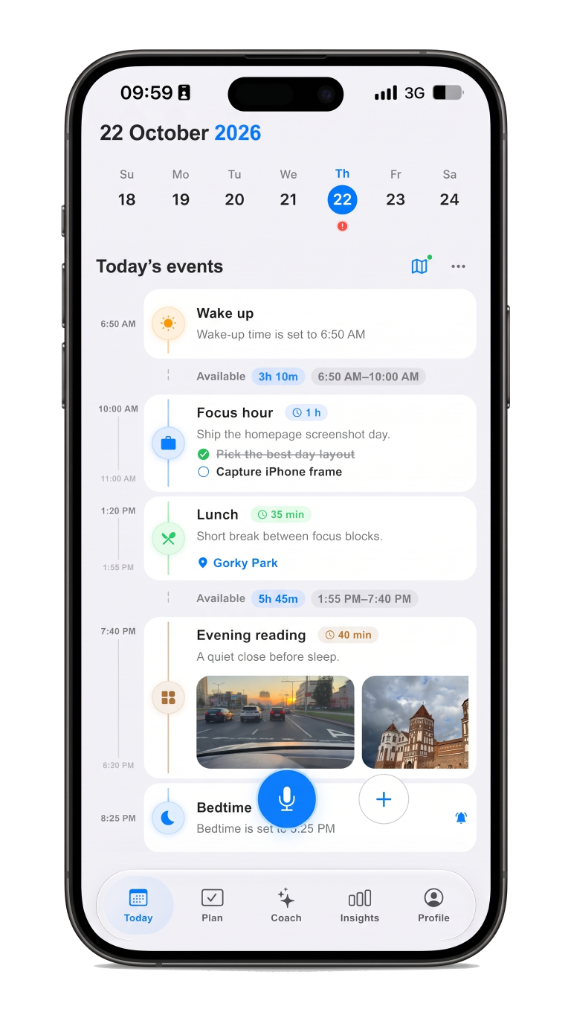
今天
醒了
一天从时间线开始。
买牛奶
用语音。
语音确认
步行去车站
与路线在一起。
专注一小时
1h在上午计划里。
与 Sam 午餐
45m已在计划中。
火车回家
与路线在一起。
睡了
一天在时间线上收尾。
为什么选 Life Tracker?
计划、回忆与路线在同一天的 iPhone 与 iPad 上——不必切换应用才能看清发生了什么。
语音与 Life AI 先展示卡片;你点「是」之前不会保存。
iPhone、iPad 与网页同一账号,一条时间线保持一致。
只有你点「允许」后才会运行 Gemini;Apple Health 可选,且非医疗建议。
Life AI 提供预览与建议——由你决定什么进入这一天。
免费起步;需要更多空间时,Plus 提高 Life AI 额度。
语音或一句短记。
正在听…
已识别
买牛奶
按住说话
确认前不会保存。
不核对就不会保存。
核对
买牛奶
草稿等你确认。
语音确认
确认前不会进入当天。
它留在时间线上。
今天
醒了
一天从时间线开始。
买牛奶
已保存已在当天。
步行去车站
与路线在一起。
同一账号。同一条时间线。
FAQ
Yes. Start free on iPhone and iPad. Plus raises Life AI limits and keeps insights across years. The same account opens on the web.
The day is a visual timeline, not a pile of lists. Plans, memory, routes, voice, and focus sit on one screen so you see the hour, not just unchecked tasks.
No. Life AI suggests with a preview. Nothing is saved until you confirm. Gemini runs only after you tap Allow in the app.
iPhone and iPad are primary. The same account opens at web.lifetracker.app. Widgets, Live Activity, and Apple Health stay on iPhone.
If you want a day timeline plus voice capture, memory, routes, and calm AI review, yes — that is the Life Tracker wedge. See the guides for honest comparisons.
No ads. The day is a personal timeline. Optional Apple Health is personal analytics, not a medical device. Details are on the Privacy page.
近期笔记