DEVELOPMENT STORY
From the first commit to Life Tracker.
The Git history begins on May 11, 2026 with a working Flutter app and Go server. An AI assistant arrives that same day. What follows is a rapid change in the product idea: a planner becomes a personal history of the day that can remember context and reveal patterns.
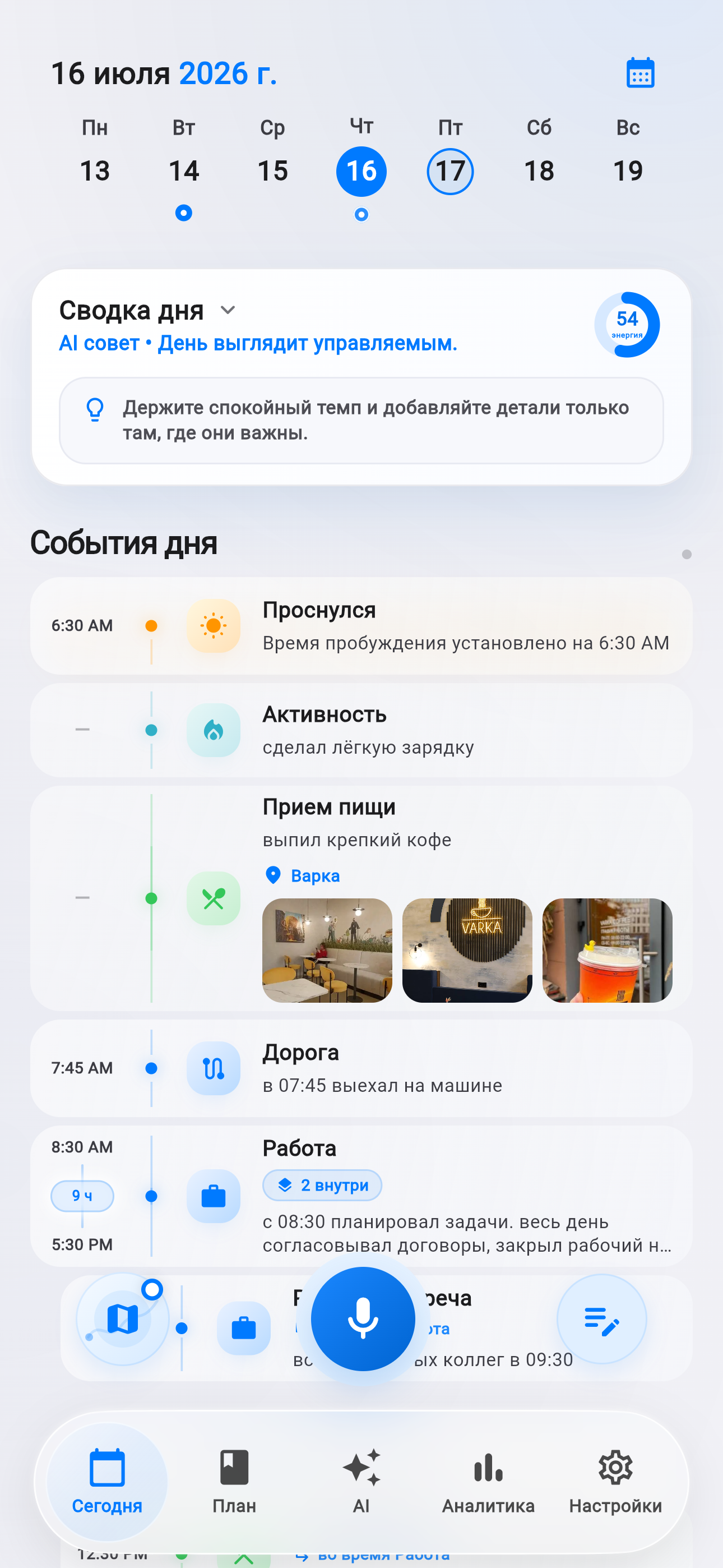
The stages below come from 87 app commits between May 11 and July 15, 2026 and were checked against the current implementation.
The idea: not another task list
The first code already included planning, a daily-memory model, a voice workflow and server-side foundations. Yet the order of the next changes reveals the key product turn: the useful question is not only “what should I do?” but also “what actually happened today?”
A conventional planner misses half the picture. Meetings end, routes fade, thoughts stay in notes and mood lives nowhere. Life Tracker connects intention with reality: tasks, events, voice entries, places, focus and day summaries form one chronology. AI is there to work with context the user has chosen to provide, rather than to be an isolated chat window.
How the app grew
Foundation and the first AI assistant
The initial commit combines a Flutter client, Go server, authentication, daily memory and voice flow. Hours later, a dedicated commit adds the AI tab with 925 changed lines and a new server handler.
Memory becomes the center
Media storage, the memory timeline, memory analytics and sharper timeline interactions arrive. Planning is no longer separate from what actually happened.
Voice, plan board, focus and health
Voice capture gains clear feedback, the plan gets its own board, and focus and health become part of daily context. On June 2, a planner file of more than 22,000 lines is split into 19 modules covering timeline, AI, analytics, settings, voice, subscriptions and screen state.
Multimodal AI, languages and the day map
AI expands beyond plain text, Russian and English localization arrive, onboarding and permissions are redesigned, and location becomes a day map. It is not meant to be a sports GPS line: it helps recall stops and connect entries to places.
Summaries, configurable insights and system context
Daily summaries and calendar context reach the timeline, analytics becomes configurable, and deep links and system-calendar integration arrive. The latest reviewed commit introduces shared-space scenarios.
What the current version can do
Build the day
Tasks, events, notes, photos, places and available time stay in a single chronological view.
Understand voice
A thought becomes daily memory. A task is created only when the user explicitly asks to plan something.
Help plan
Workload, focus, priorities and free windows can be seen without maintaining several disconnected apps.
Find a rhythm
Periods, categories and data quality sit together so an insight can be evaluated instead of blindly accepted.
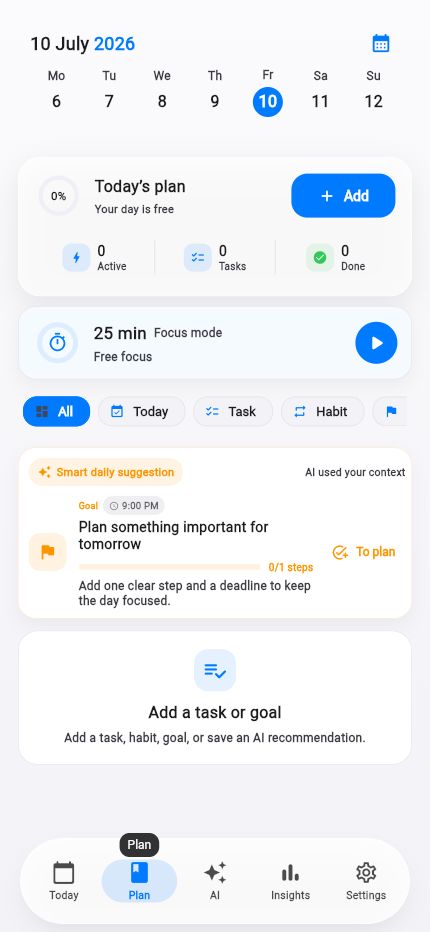 Plantasks, goals and focus
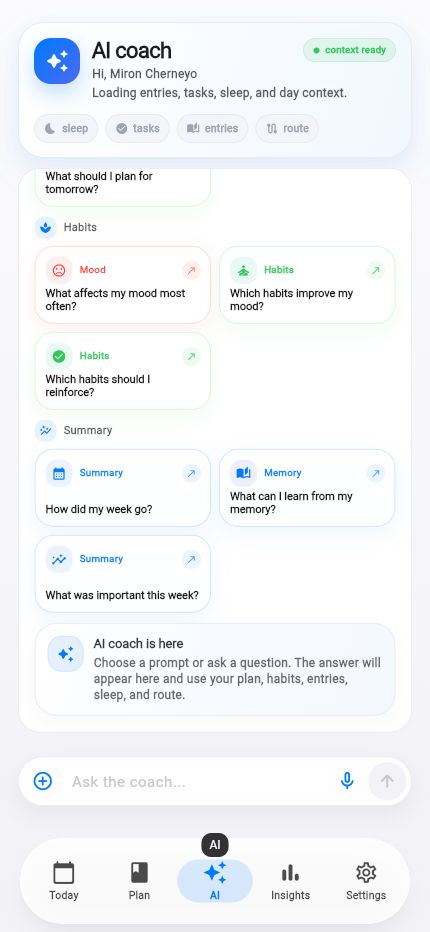 Life AIhelp grounded in the day
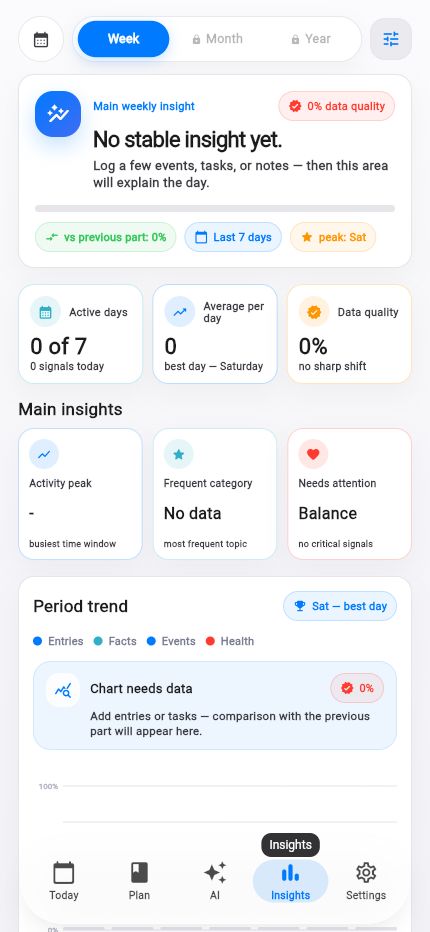 Insightsperiods and personal rhythm
A technical detail: fast without losing an entry
A daily app has to survive backgrounding and unreliable connections. The timeline can show a locally cached state first, then refine it with the server response. Generation identifiers ensure an older response cannot overwrite a newer refresh.
The same principle applies to AI: when a request fails, the question, clarification and attachments remain available for retry. These details are mostly invisible—and essential to making the app feel calm.
What stays unchanged
- Context is added consciously. Permissions are not requested merely by opening the app or permission center.
- AI supports decisions; it does not diagnose. Health data is treated as personal context.
- A perfect diary is not required. A few meaningful points can still make the day summary useful.
- An insight should be supported by data. When there is too little context, the interface says so.
The next stage
The near-term direction includes a test web experience for core workflows and clearer first-run guidance. Quick-capture widgets and advanced search by type, time and context are being explored. Calendar context and shared scenarios continue to evolve.
The roadmap is a direction, not a date promise. Every idea has to reduce effort, improve understanding and avoid unnecessary data collection.
How personal context is protected.
A direct look at permissions, local encryption, safe analytics and account deletion.