Say it.
Voice, a task, or a photo.
 Life Tracker
Home / How it works
Voice, a task, or a photo.
You confirm. Then it stays.
The hour holds the rest.
A sample
Voice note. “Dry cleaning after work. Call Maya about Thursday.” You check the card, then it stays on the day.
Task moved. The review ran long, so “write the notes” slides from 11:00 to 2:30.
Route. The walk back from lunch shows up beside the meetings.
Evening question. You ask Life AI what is still open. The suggestion is not saved until you confirm.
After noon
Life AI starts from the timeline, not a blank chat. A suggestion is another card you can accept or leave.
See Life AI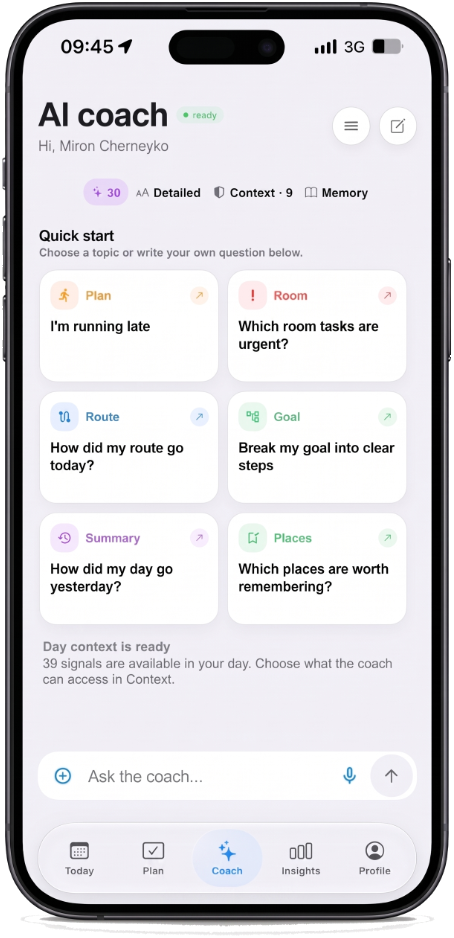
Evening
Memory, routes, and focus are not other apps. They are later hours of the same screen.
See the timeline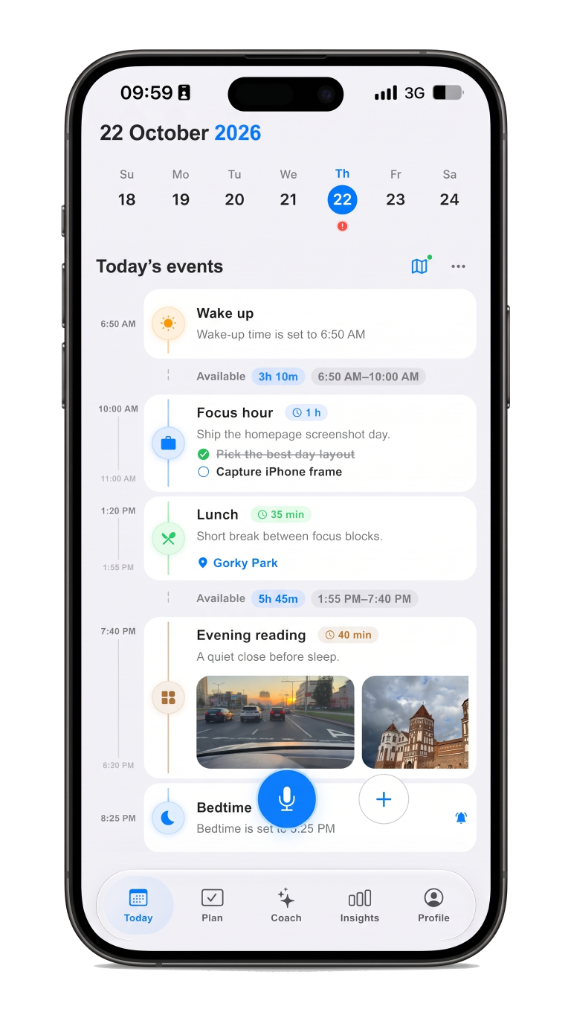
Life Tracker
The first capture is enough. The rest of the day can follow.