一度言えば十分。
長押しで話す。Life Tracker が考えを、確認してから保存できるエントリに。
 Life Tracker
イベント、タスク、メモ、音声が一本のタイムラインに。時間が変わったらブロックをドラッグ。
例 歯医者が 3 時を過ぎたので、買い物ブロックを 15:15 から 16:30 にずらし、夕方の順序を保つ。
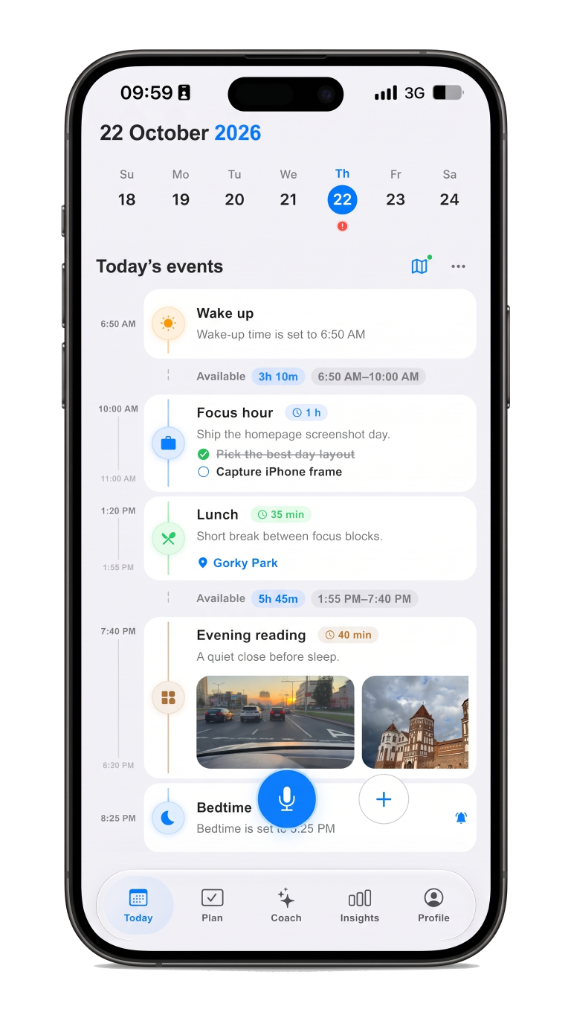
長押しで話す。Life Tracker が考えを、確認してから保存できるエントリに。
一日はリストの山ではなくタイムライン。変わったものだけ動かし、残りは順序のまま。
iPhone でもブラウザでも同じ一日を開く。アプリ間のコピーは不要。
A checklist hides time. A day timeline planner shows the hour: what is next, what already happened, and where open gaps still sit. Life Tracker keeps plans, voice notes, routes, and focus on that same screen so you plan the day you actually live — not a separate system you abandon by noon.
Drag blocks when the schedule slips. Capture by voice on the walk to the car. Open the same day on iPhone or the web without copying between apps. The timeline is the product: one scroll for the morning plan, the afternoon shift, and the note you meant to keep.
People who tried habit trackers and task lists and still felt scattered. If you want a visual daily planner with voice and calm AI review — not another inbox — start on the day timeline, then deepen with planning and Life AI when you need them.
Life Tracker
iPhone では無料。同じアカウントで Web も開けます。